> ## Documentation Index
> Fetch the complete documentation index at: https://dshtauri.mintlify.site/llms.txt
> Use this file to discover all available pages before exploring further.
# DSH Tauri Panel Extension
> 在桌面扩展面板中管理 Skills、技能仓库和 MCP 服务器。
`dsh-tauri-panel-extension` 通过 `sidebar.panel.action` 和 `panel.protocol` 添加“扩展”入口,
在会话内容区提供 Skills 与 MCP 两个管理标签页。
 ## Skills 管理
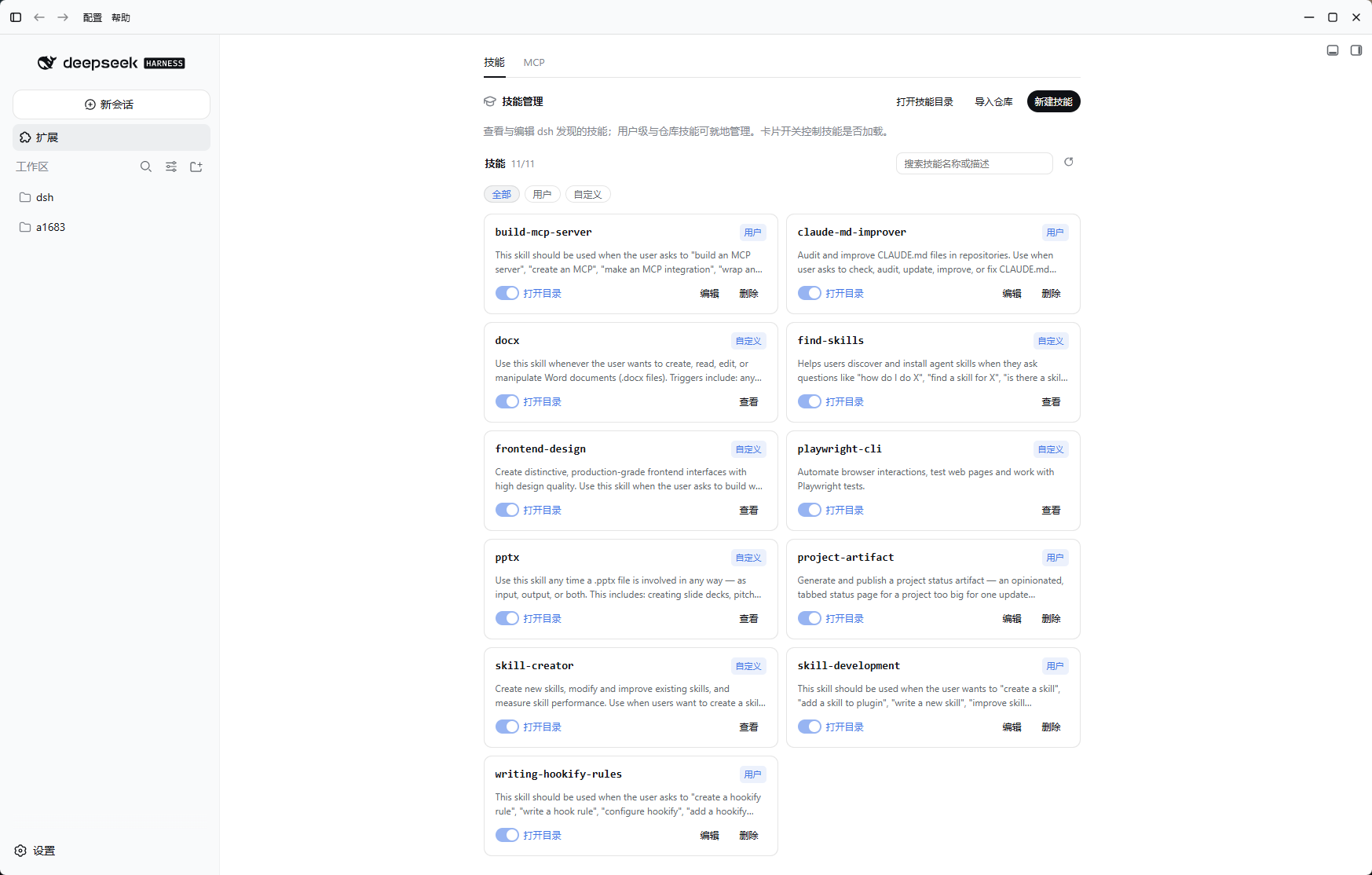
* 列出、搜索和按来源筛选技能。
* 启用或停用技能,查看、编辑或打开技能目录。
* 从 GitHub 地址导入技能仓库,支持 `owner/repo`、完整 URL、`.git`、`#ref` 和 `/tree/
## Skills 管理
* 列出、搜索和按来源筛选技能。
* 启用或停用技能,查看、编辑或打开技能目录。
* 从 GitHub 地址导入技能仓库,支持 `owner/repo`、完整 URL、`.git`、`#ref` 和 `/tree/[`。
* 识别单技能、扁平和嵌套仓库结构。
* “新建技能”会关闭面板、打开当前工作区空白会话并预填 `/skill-creator `,不会自动提交。
## MCP 管理
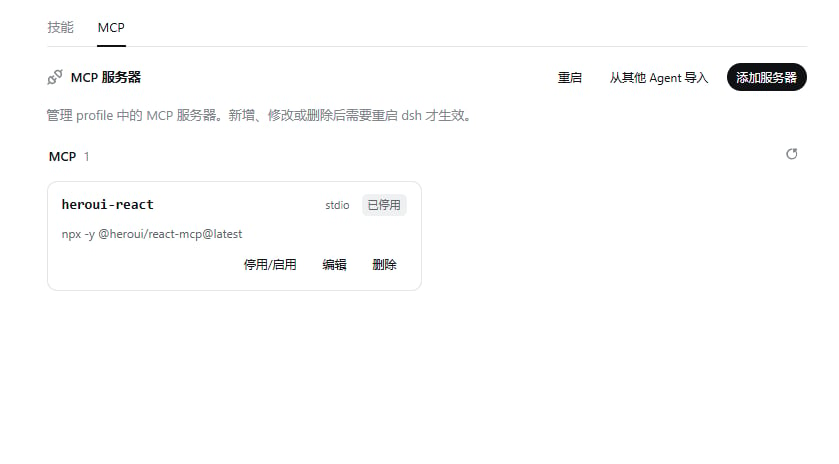
* 新增、编辑、删除、启用或停用 MCP 服务器。
* 支持 JSON 与表单两种编辑方式。
* 从 Claude Code 与 Codex 配置导入 MCP。
* 配置变更需要重启时给出提示。
## 数据与来源
插件状态保存在 `$DSH_HOME/dsh-tauri-panel-extension`,宿主 API 使用
`/dsh-tauri-panel-extension/*`,避免与其他能力插件发生路由和状态目录冲突。
实现基于 `qinyre/dsh-plugin-capabilities` 的固定 commit 修改,并在仓库中保留第三方声明。
桌面版本删除了市场模块,聚焦 Skills 与 MCP 管理。
[查看源码](https://github.com/dsh-tauri-desk/dsh-tauri-plugins/tree/main/packages/dsh-tauri-panel-extension)
]